
We Said Claude Couldn't Send Email. It Can Now.
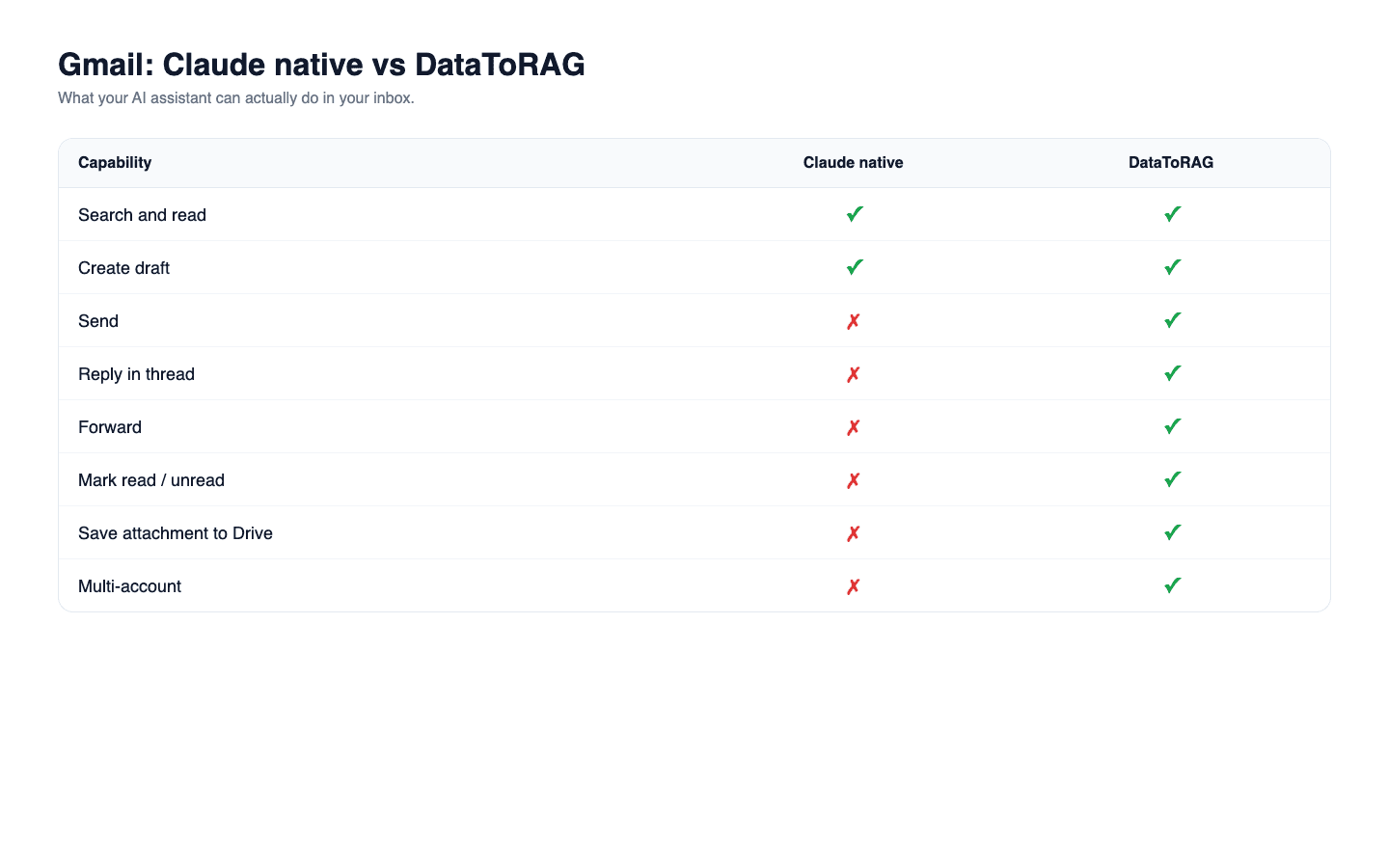
Short answer, as of August 24, 2026: Claude's native Gmail connector sends email. It also replies, replies-all, and forwards. For four months this post said the opposite, and it was right when we wrote it. It is wrong now, so here is the correction and the honest current picture.
We could have quietly edited a few sentences. We are not going to, because the whole argument of this post was one capability gap, and that gap is gone. A comparison post that survives the thing it compares is not a comparison, it is an advertisement.
What actually changed
When this went up in April, the native connector's tool surface ended at drafts.
create_draft, update_draft, list_drafts, and nothing after it. No send, no reply, no
forward. We re-checked on August 7 and again on August 11 and it still read that way both times.
On August 24 we enumerated it again and it reads:
send_message, which sends a new message and sends an existing draft when you pass it adraftIdreply, with areplyAllflagforward, with an optional comment- plus trash, untrash, spam, unspam, and the sensitive-label tools
So the exact sentence this post was named after, "it has no tool to send that draft", is now false. Anthropic shipped the verbs. That is a real improvement and it closes the most frequently cited limitation of the native connector.
The corrected comparison
| Capability | Claude native Gmail | DataToRAG Gmail |
|---|---|---|
| Search and read messages | Yes | Yes |
| Create a draft | Yes | Yes |
| Send a new message | Yes | Yes |
| Send an existing draft | Yes, via send_message with a draft id |
Yes, gmail_send_draft |
| Reply within a thread | Yes, including reply-all | Yes |
| Forward a message | Yes | Yes |
| Delete a draft | Yes | Yes |
| Mark messages read or unread | Yes | Yes |
| Label or archive individual messages | Yes | Yes |
| Label or archive a whole thread in one call | Yes | No |
| Trash, untrash, mark spam | Yes | No |
| Save attachment to Drive server-side | No | Yes |
| Multi-account (work + personal Gmail) | No | Yes |
Both columns are what each connector exposes as tools, enumerated on August 24, 2026. Rows move. The date is there so you can tell how stale this table is when you find it. It moved again on October 9, 2026: the "Delete a draft" row said No for the native connector until then.
What is left, stated without inflation
Two rows. That is the honest count, and it was three until October 9, 2026.
Deleting a draft, which used to be on this list. This section said the native connector
had no way to remove a draft it created. It does: it has a delete_draft tool, found when we
re-enumerated it on October 9, 2026. Both connectors delete drafts, and this is no longer a
gap in either direction.
Attachments. Ours saves an attachment straight to Drive server-side, so the binary never enters the conversation. The native connector hands attachments back through the context window, which on a large PDF is the difference between a working session and a full one.
Multi-account, which is the one that actually matters. The native connector authorizes one Google account. If you live in a work inbox and a personal one, you disconnect and reconnect to move between them. Ours holds several at once and routes per call, so "check both inboxes and reply from the right one" is a single prompt.
That is the current Gmail story. One meaningful differentiator, one small one. If Gmail alone is your use case and one account covers it, use the native connector. It is free, it is first-party, and it now finishes the job.
Where the gap is still wide
Gmail is no longer where we win, and it would be dishonest to keep implying it is. The gap has moved to the services where the native connectors stop short:
- Sheets. No native cell-level editing. Ours reads, updates, appends, and manages tabs.
- Slides. Native Drive creates an empty deck. Nothing native writes content onto slides.
- Docs. Native reads a doc and creates a new one, and cannot edit either. Ours creates, writes, and batch-updates.
- Contacts and Tasks. No native connector at all.
If your workflow ends in a spreadsheet or a deck, that is the comparison worth reading, not this one.
The part we want to keep from the original post
This post already contained the method that caught it, which is why we are keeping the section.
We originally blamed a missing gmail.modify scope for the send gap, and
the bug report we cited said the same.
That was wrong reasoning even when the conclusion was right. A scope is invisible from the
outside, inferred rather than observed, and it moves without an announcement. That same report
listed "manage drafts and send emails" among the granted scopes, on a connector that at the
time had no send tool. Scope and capability come apart in both directions, and neither
predicts the other.
So we stopped reasoning from scopes and started enumerating tools, and writing down the date we checked. That is the only reason this correction took thirteen days instead of six months. The method worked. We just have to keep running it.
What we would tell you to do
Connect the native Gmail connector first. It is free and for a lot of people it is now enough.
Come to DataToRAG when you hit one of the walls that is still real: more than one Google account, or a workflow that has to write into Sheets, Docs, or Slides.
Ready to connect your data to AI?
Give Claude write access to your Google Workspace. Start free, or talk to us about your setup.
Related articles
Google shipped eight official Workspace MCP servers. Claude has three native connectors. We host one endpoint. Every tool on all three, enumerated on August 24, 2026, including the surprise: Google's own Gmail MCP cannot send email.
Claude Can Send Formatted Email Now. Here's What That Took.Until August 26, our Gmail tools sent every message as plain text, so asking Claude for a formatted email got you literal HTML tags in your inbox. Here's the fix, the one asymmetry to know about, and where the workflow builders stand.
Every Way to Connect Claude to Your Google Workspace, Compared (2026)Native connectors, Zapier MCP, Composio, Pipedream, a self-hosted open-source server, or DataToRAG. What each one really does with your Google data, and how to pick the right one.