
Reading a Spreadsheet Is Not Reading Data
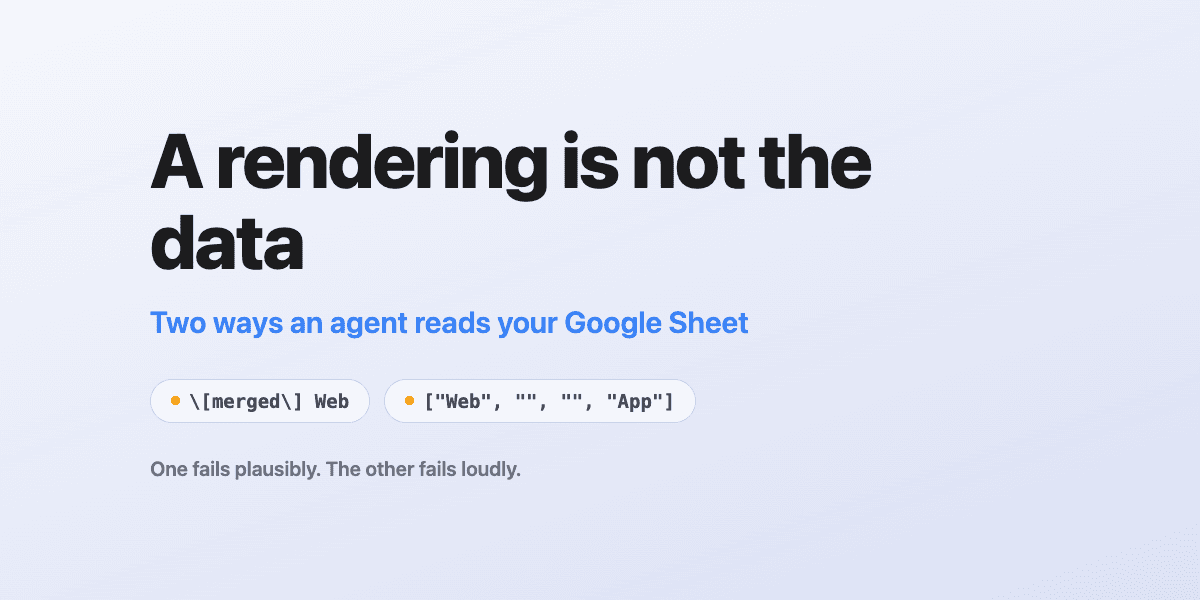
There are two ways an agent can read your Google Sheet, and they are not variations on the same thing. One returns a picture of the file. The other returns the cells.
Most of the time the picture is fine. The trouble is that the failure mode is silent: the picture stays plausible after it stops being accurate, and everything downstream keeps looking healthy.
The two tools
A file-level reader takes a file id and returns the whole document as text, usually
markdown. Claude's built-in Google Drive connector works this way, via read_file_content.
It is genuinely versatile: the same call handles Docs, Slides, PDFs, Office formats and
images. For a spreadsheet, it renders every tab, concatenated.
A range reader takes a spreadsheet id and an A1 range and returns structured data. That
is what sheets_read does in our Google Workspace gateway:
{
  "range": "'Vendor mapping'!A1:H60",
  "rowCount": 42,
  "columnCount": 6,
  "values": [["Web", "", "", "", "App", ""], ...]
}
The cost is real: one tab per call, spreadsheets only, and you need the tab's name for anything but the first. In exchange you get three things a rendering cannot give you.
range echoes the tab that was actually read. Not the one you meant, the one the API
resolved. You find out you were pointed at the wrong sheet immediately, rather than after
the numbers look strange.
rowCount and columnCount report the real extent of what came back. Ask for 8 columns
and 60 rows of a smaller sheet and you get back 6 and 42. That is how truncation becomes
visible instead of assumed. (Precisely: columnCount is the widest populated row in the
range returned, and shorter rows are padded so the array is rectangular.)
Values are raw cells. Empty spacer columns arrive as empty strings. Nothing is escaped, flattened, or re-typeset on the way out.
What a rendering does to a spreadsheet
Here is roughly what a two-tab sheet looks like coming back from a file-level reader:
|  |  |  |  |  |  |
| :-: | :-: | :-: | :-: | :-: | :-: |
| \[merged\] Web | \[merged\] Web |  |  | \[merged\] App | \[merged\] App |
| Vendor\_id | Vendor\_name |  |  | ... |
Read that carefully, because every detail is a small lie of omission.
Merged cells become the literal text [merged] Web, repeated once per column they span.
Underscores are markdown-escaped, so the header is Vendor\_name rather than
Vendor_name. A string comparison against that will fail for a reason nobody will guess.
Alignment rows are interleaved with data. And critically: there are no tab names, no row or
column counts, and no delimiter saying where one tab ends and the next begins.
Nothing here is a bug. A markdown renderer is doing exactly its job. It is simply not a data interface, and it never claimed to be.
Three ways this goes wrong quietly
Tab ambiguity. A workbook with two tabs arrives as one blob with nothing naming either. If the tabs mean different things (one mapping ids to vendors, another mapping platforms to groups) you are identifying them by content and hoping. Reading one tab is recoverable. Reading one tab without knowing it was one tab is not.
Merged headers turn structure into inference. Given [merged] Web twice, two blanks, and
[merged] App twice, you can work out that the first block is columns A–B and the second is
E–F. You will probably be right. You cannot know that you are right, and every row's pairing
depends on that alignment holding. Add a third block or change the spacer width and every
pair shifts silently.
Identity by surface form. This one is not the reader's fault, but it is the same disease.
A sheet says AcmeCorp; the database row is Acme Corp. Join on the raw string and you get
no match, and "no match" reads as "this record does not exist." That produces a report of
missing data that is really a report of a missing space character:
-- fails
ON v.name = sheet.vendor

-- compares identity rather than presentation
ON REPLACE(REPLACE(LOWER(v.name),' ',''),'.','')
 = REPLACE(REPLACE(LOWER(sheet.vendor),' ',''),'.','')
The failure direction matters here. This does not throw an error or return nothing. It invents work: it tells you records need creating that already exist.
Why nobody catches it
None of these produce an error. Every cell stays populated with something believable, so a plausible table yields plausible analysis, and the analysis is what someone acts on.
If the output is a number on a dashboard, a wrong mapping does not break the dashboard. It moves a value from one row to another and both keep rendering. There is no red state to notice. The first symptom is somebody downstream making a decision on it.
There is a related trap worth naming because it is a modelling error rather than a reading one: cardinality. If one row in your sheet corresponds to many records in your system (one vendor with a dozen integrations, say) and you map it to a single record, you will attribute a twelfth of the value and silently drop the rest. The join succeeds. The number is wrong. Cardinality deserves the same suspicion as strings.
The rule
Use the file-level reader to discover. Use the range reader to decide.
- Reconnaissance (what is in this file, is this the right document, reading prose): the file reader is the right tool, and its reach across formats is genuinely useful.
- Anything a number or a decision flows out of: read cells, and assert the extent before you compute on it.
- Verify identity by a normalised key, never by a string's surface form. Case, whitespace and punctuation are presentation, not identity.
- When a rendering forces you to infer structure, mark the inference as an inference and go verify it before anyone acts on the result.
The reason to bother is the asymmetry. Verifying a rendering against the cells costs one tool call. Not verifying it risks shipping a wrong number into something nobody is auditing, because it looks exactly like a right one.
An agent that reads a picture of your data and an agent that reads your data are indistinguishable right up until they disagree, and you will not be watching when they do.
Ready to connect your data to AI?
Give Claude write access to your Google Workspace. Start free, or talk to us about your setup.
Related articles
Writing values into Google Sheets gives you no formatting at all, and the failure is invisible to whoever caused it. Four new tools fix that: a one-call readable pass, targeted styling, a raw escape hatch, and row lookup that doesn't read the whole sheet.
Hosted Google Workspace MCP: DataToRAG vs Google's Official Servers vs Claude's Native ConnectorsGoogle shipped eight official Workspace MCP servers. Claude has three native connectors. We host one endpoint. Every tool on all three, enumerated on August 24, 2026, including the surprise: Google's own Gmail MCP cannot send email.
The Model Didn't Hallucinate. Our Tool Description Was Missing.We read the failed calls on a real account and found something uncomfortable: most of them were not the model getting it wrong. They were our tool descriptions failing to say what the tool could do, and in one case failing to offer something it should have offered.