
We passed: DataToRAG is now a Google-verified app
In May I wrote about the "unverified app" warning you hit when connecting Google Workspace, and why we were going through a security review to get rid of it. Then I posted an update at step 1 of 6. This is the post I actually wanted to write.
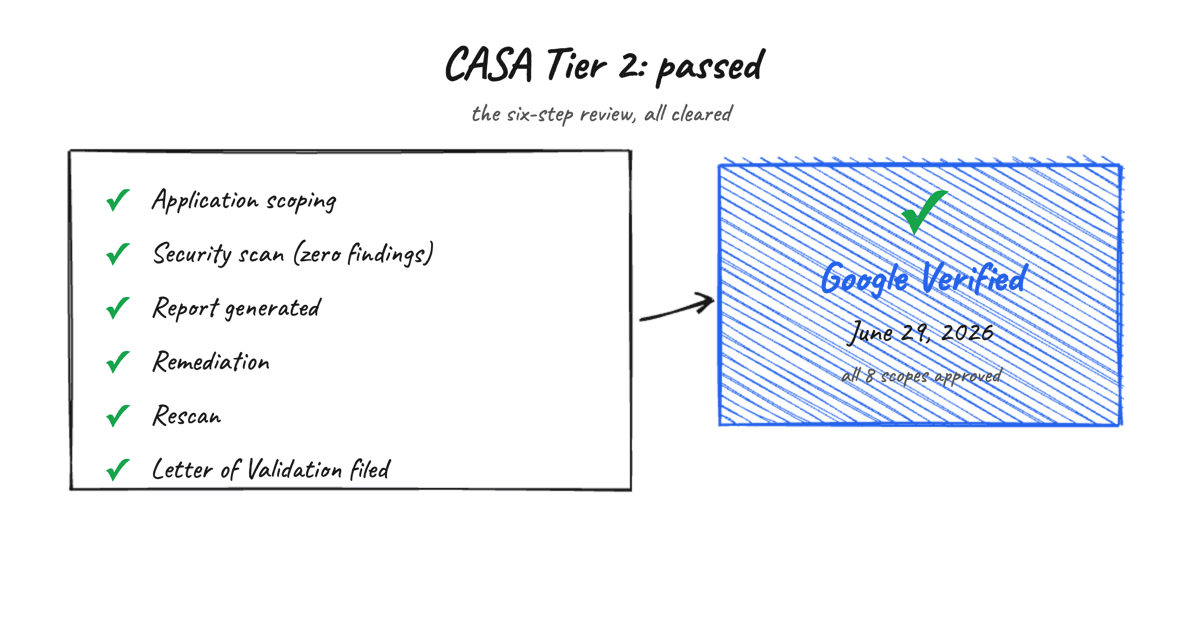
It's done. On June 29, 2026, Google's API OAuth Dev Verification team approved our verification. DataToRAG is a verified Google app now.
If you connect your Workspace today, the "Google hasn't verified this app" screen is gone. No Advanced, no Go to datatorag.com (unsafe), no three-click detour. You land in the normal consent flow, the same one you'd get for any app Google has signed off on.
We finished in June. Google's deadline was August 3. So it landed about five weeks early, which after three months of this I'll happily take.
How the review actually went
Quick recap for anyone who didn't read the earlier posts. Restricted Google scopes (reading Gmail, writing to Drive, anything touching real user data) require a third-party security review before Google marks your app verified. That review is CASA, run through the App Defense Alliance. We went through Tier 2, which is an authorized-lab scan of the code, the infrastructure, and the OAuth handling against Google's published requirements.
Our lab was TAC Security. The six steps I listed last time (scoping, scan, report, remediation, rescan, Letter of Validation) are all cleared.
The scan came back with zero vulnerabilities. I want to be straight about that rather than let it sound like a humble-brag: it's the single result I was most nervous about, and the reason it went clean is boring, not clever. We'd already done the unglamorous work ahead of the scan. Encrypted token storage scoped per user and per service. Refresh-token rotation with family-revoke. And a migration to managed Postgres on Neon so the database security posture wasn't something I was hand-rolling. The scan checked for the things we'd already fixed.
TAC filed the Letter of Validation with Google on June 25. Google approved four days later.
Eight scopes, all approved
Google's approval covered every restricted and sensitive scope we use: Calendar, Docs, Drive, Gmail, Contacts, Sheets, Slides, and Tasks.
That last one matters more than it looks. A verification only covers the scopes you submitted. If we'd cut corners and gotten three scopes approved to clear the warning faster, every tool that touched Slides or Tasks or Contacts would still be stuck behind it. Getting all eight through in one pass means the whole product, every Google tool we ship, connects clean. Nothing's half-verified.
What changes for you
If you're new: connecting is now the boring, normal flow. That's the whole point. The most aggressive thing in our onboarding is gone.
If you already use DataToRAG: nothing about how we handle your access changed, because it didn't need to. Same encrypted, per-user, per-service tokens. Same "we don't sell, share, or train on your data." The verification didn't force a new data policy on us. It confirmed the one we already had.
The part I didn't know going in
This isn't a trophy. Google requires recertification every year. Miss it and the app drops back to unverified, warning and all. So "verified" is really "verified, and on the hook to prove it again next year." I'd rather say that out loud now than surprise anyone (including future me) later. It's on the calendar.
Why I keep posting these
Most small teams go quiet about CASA. They show users the scary screen, hope for the click-through, and never mention it again.
I said in the first post that naming the warning builds more trust than hiding it. The flip side is you then owe people the ending. We told you it was coming by August. It came in June. If you're a founder staring at the same email from Google's verification team: start the day it lands, do the security work before the scan instead of during it, and it goes faster than the horror stories suggest.
Questions, or want to see the clean connect flow yourself? [email protected], or just connect an account.
Ready to connect your data to AI?
Give Claude write access to your Google Workspace. Start free, or talk to us about your setup.
Related articles
A progress note from May 2026, partway through Google's CASA Tier 2 review: application scoping cleared, lab scan next. The review has since completed and DataToRAG is verified.
The 'unverified app' warning, explained: where we are with Google's CASA reviewDataToRAG is going through Google's CASA Tier 2 security assessment. Until it's done, you'll see Google's 'unverified app' warning when connecting your Workspace. Here's what's happening and why you can click through it.
The Same Three Complaints Keep Showing Up in MCP Threads on RedditBefore we built anything for write access, we read the threads. People complain about three things: connectors that won't change existing files, OAuth that eats DIY servers, and write access that sounds reckless. Here's each one, sourced, with what we did about it.