
The Same Three Complaints Keep Showing Up in MCP Threads on Reddit
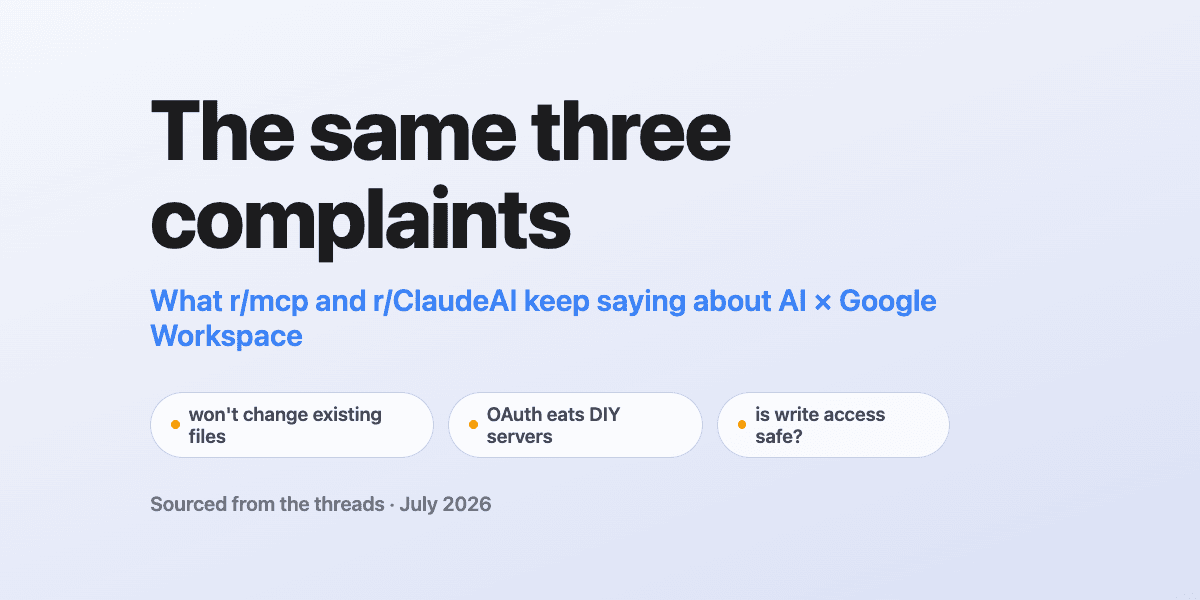
Before we spent a dollar promoting write access, we spent a couple of weeks reading Reddit. Not for validation. We wanted to know what people actually type into a thread at 11pm when their AI-to-Google-Workspace setup fails them.
It turns out the complaints cluster. Three problems, over and over, in r/ClaudeAI and r/mcp. This post walks through each one with the receipts, and what we built in response. If you want the claim-by-claim comparisons instead, those are separate posts and I'll link them as we go.
One note on method before we start. Reddit is evidence of what people struggle with. It is not evidence of what a product can or can't do today. Every quote below was captured from the live thread in late July 2026, and every capability claim traces to our published comparisons or to a test we ran ourselves, not to a forum post. Vote counts are as of capture. Connectors change; frustration threads stay up forever.
A second note on method, added a week after publishing. Every claim here about someone else's connector is made against its enumerated tool list on a stated date, never against the OAuth scopes sitting behind it. A scope is inferred from the outside and moves without an announcement, and we've watched a granted scope and an available tool disagree in both directions on the same connector. This post originally explained one Gmail limit by naming a missing scope. That limit is gone now, and the reasoning was the wrong basis even while the conclusion was right.
Problem 1: the native connectors stop one verb short
Here's the line that started this whole project for us, from an r/ClaudeAI thread titled "We need more Google Workspace Connectors (MCP)":
"I can read my emails but not create one. I can read my Calendar events but no update/created available."
The second half of that quote is out of date, and it's worth saying so plainly: Claude's native Calendar connector now creates, updates, and deletes events. We wrote up the Calendar comparison ourselves and called it feature parity, because it is. If someone quotes that thread at you as proof Claude can't touch your calendar, they're wrong.
Gmail and Drive are a different story, and the precise line matters: both connectors can create new things. The Gmail connector drafts emails into your Drafts folder, and the Drive connector can create new files, including a real Slides presentation at a real URL. Where Drive stops is one verb past that. Gmail no longer stops there: when this post was written the connector that wrote a draft had no send tool, no reply tool and no way to delete the draft, and it has since gained all three, so that half of the complaint is closed. The Slides deck still arrives with one blank slide and no way to put anything on it. Drive still won't change what is inside the file you already have.
Gmail labels now, and that's worth flagging because this post said otherwise in July. Anthropic added the labelling tools since, which also means marking read and archiving. The Gmail comparison carries the current table and the date we last enumerated the surface.
Spreadsheets have no connector of their own; they come through Drive. In "When will we get a google sheets MCP?", a commenter pasted the answer Claude itself had given them:
"The Drive connector you have only does file-level stuff (read, copy, metadata), so anything cell-level falls back to Apps Script or the Sheets API, which is why it spirals."
We verified that ourselves rather than taking a pasted answer's word for it. On July 26 we asked Claude, with the Drive connector, to update a cell in an existing sheet. It enumerated its own tool list and told us the capability wasn't there. When the product states its own limitation, you don't need a forum post.
So the first thing write access has to mean is verbs that change existing things, named exactly what they do: sheets_append, sheets_update, docs_batch_update, gmail_send, gmail_reply, gmail_forward. The Drive and Docs comparison has the full table.
Problem 2: so people build their own server, and OAuth eats them
The obvious response to a connector that won't change your files is "fine, I'll run my own MCP server." The r/mcp archive is a graveyard of what happens next.
"Auth was a pain when building MCP servers" sits at 101 points. "How are you handling OAuth when running MCP servers remotely?" is another thread on the same wound, at 35. From that post:
"Token rotation and secure storage are unclear… For teams, it feels messy to share or rotate creds across multiple dev environments."
That matches our experience exactly. Google's OAuth is manageable for one developer on one laptop. It gets ugly at "my cofounder needs this too" and genuinely hard at "the token expired over the weekend and nobody noticed until the Monday report didn't run." We wrote about the refresh-token part of this after hitting it ourselves.
The comment that stopped me mid-scroll, though, was a reply in that same thread endorsing our entire category without knowing we exist:
"Gateway pattern > per-client chaos. We terminate OAuth at a tiny MCP gateway…"
That's the product. One hosted URL, OAuth terminated at the gateway, tokens stored and refreshed server-side, multiple Google accounts under one endpoint. And because it's a remote MCP server rather than a process on your machine, it works from the Claude phone app. Your local server doesn't follow you to the grocery store.
If you're evaluating the hosted-gateway category more broadly, our Composio comparison is the deepest thing we've written on it.
Problem 3: giving an AI write access sounds reckless, and the data agrees
I put this one last on purpose. It's the objection that has to be answered before anyone should let a model near gmail_send, and the skeptics have real numbers on their side.
A widely shared r/mcp post titled "MCP security is the elephant in the room – what we learned from analyzing 100+ public MCP servers" (135 points, 29 comments at capture) found:
"[Unrestricted command execution] appears in 40%+ of MCP servers we analyzed. It's basically giving AI systems root access to your infrastructure."
Forty percent. The default failure mode of this ecosystem is a server that will run arbitrary shell commands because that was the easiest thing to build.
Our answer has three parts, and none of them is "trust the model."
First, there is no shell. The gateway exposes named tools against specific APIs. Nothing executes code: no run_command, no eval, no arbitrary code path for a prompt injection to reach.
Second, every write goes through an approval gate. Before gmail_send or sheets_update or any other mutating tool executes, you see what's about to happen and you click approve or deny. Reads flow; writes wait.
Third, and this is the part I'm most proud of as of late July 2026: the gate fails closed. A tool the classifier doesn't positively recognize as a read is treated as a write and prompts for approval. A new tool with a verb nobody anticipated can't slip past silently. The unknown defaults to "ask."
That's what earns write access. Not confidence. Structure.
Where this leaves you
If your complaint is Problem 1, the fix takes about two minutes: connect your account and the write verbs are just there. If you're mid-way through Problem 2, I'd genuinely read the OAuth post before sinking another weekend into token storage. And if Problem 3 is the reason you've held back, that skepticism is correct, and it's exactly the constraint we designed the approval gate around.
The three comparison posts carry the detailed tables: Gmail, Calendar, Drive and Docs. Reddit told us where it hurts. Those posts show the fix, claim by claim.
Ready to connect your data to AI?
Give Claude write access to your Google Workspace. Start free, or talk to us about your setup.
Related articles
Google approved our verification on June 29, 2026. The 'unverified app' warning is gone. Here's how the CASA Tier 2 review actually went, and what changes for you.
You Can Self-Host a Google Workspace MCP for Free. The OAuth Verification Is the Catch.The open-source Google Workspace MCP servers are genuinely good. The cost isn't the code. It's the Google Cloud project, the consent screen, and the verification that comes after.
CASA Tier 2 update: step 1 of 6 cleared, lab scan starts nextA progress note from May 2026, partway through Google's CASA Tier 2 review: application scoping cleared, lab scan next. The review has since completed and DataToRAG is verified.