
Your Agent Can Attach Files to Email Now. The Interesting Part Is Where the Bytes Never Go.
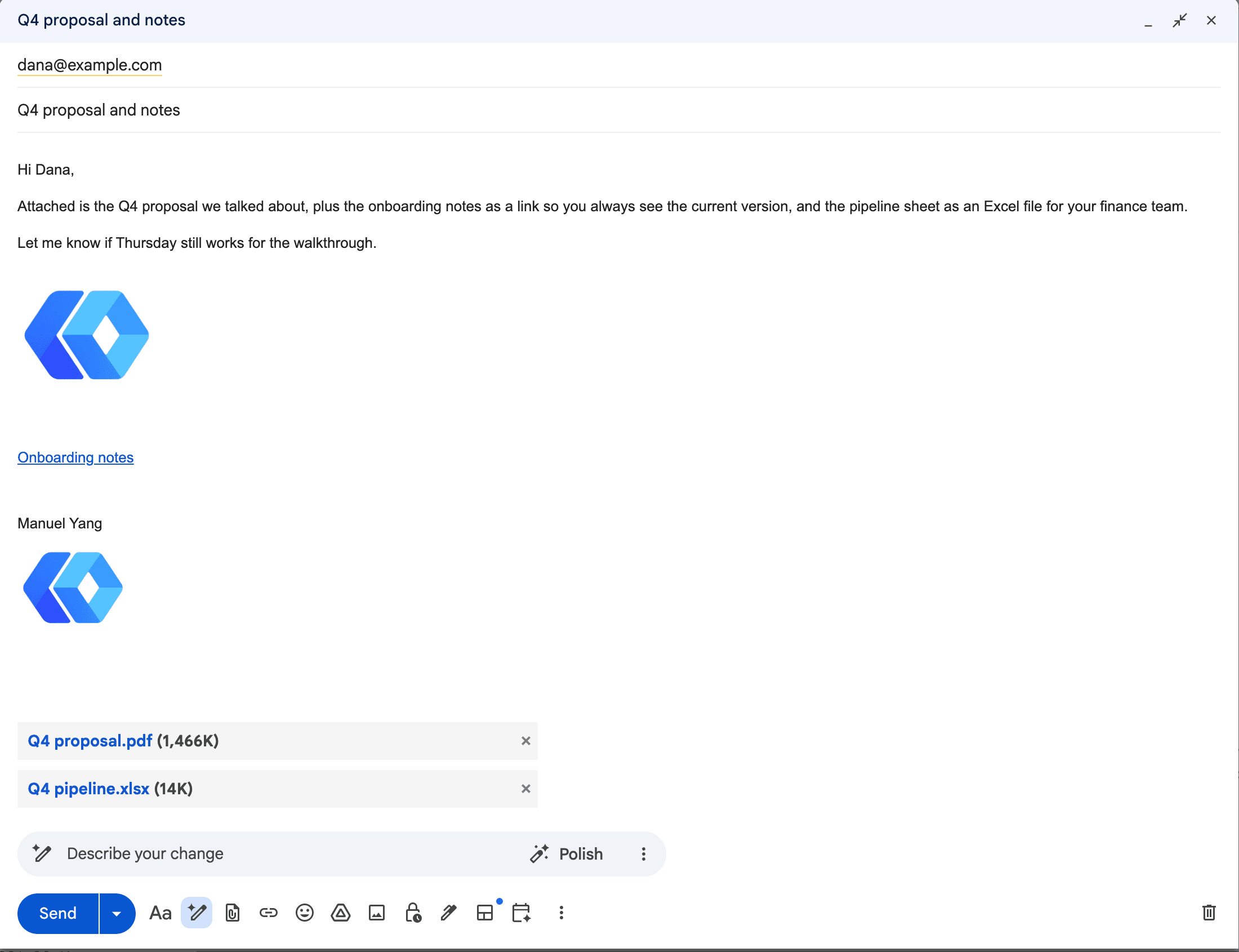
A customer wrote in two weeks ago with two asks about the Gmail tools. Mail Claude sent was missing his signature, and drafts came out without attachments. The signature shipped on the 18th. This is the other one. His workflow is that Claude drafts the email, he opens it in Gmail, checks it, presses send. Half of what he sends has a file on it, and until this week the draft came out with no file, so he was fixing that by hand too.
As of today, gmail_send, gmail_reply, gmail_forward, gmail_create_draft and gmail_update_draft take an attachments list. Open the draft in Gmail and it looks like something you attached yourself.
What it does
Each entry is a Drive file. A PDF or an image or a zip goes on as an attachment, the way you'd expect. A Google Doc, Sheet or Slides deck by itself goes in as a link in the body, which is what Gmail's own compose does when you attach a Doc, and for the same reason: the recipient gets the live document. If you want a file instead, say so: {file_id, as: "pdf"} exports it and attaches the export. Docs also do docx, txt, html and md (markdown); Sheets do xlsx and csv; Slides do pptx. csv exports one tab, so you name the tab, and the response tells you which one went.
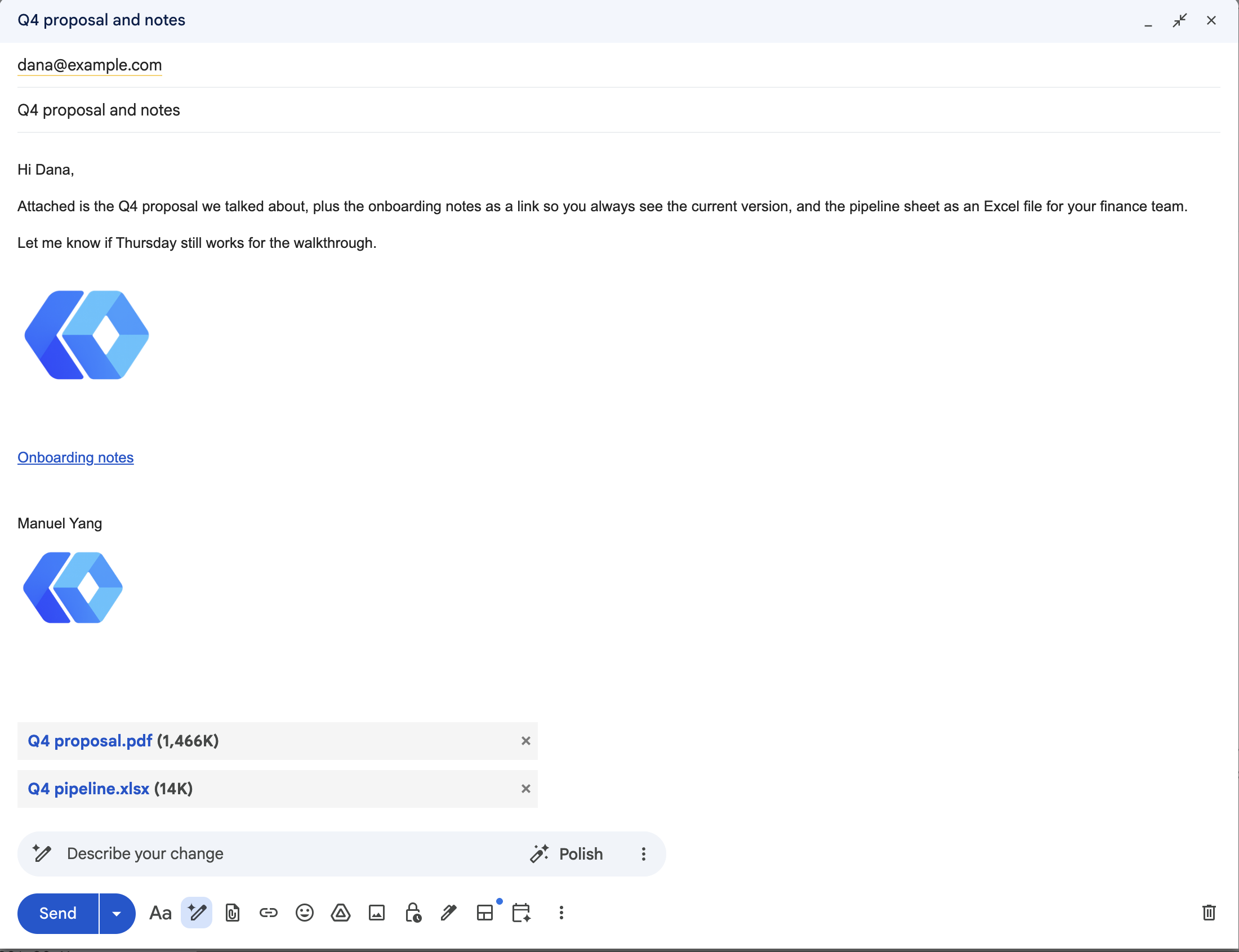
Images can go inline. Reference the file in the HTML body as cid: plus its filename and it renders in place instead of hanging off the bottom as a paperclip. That's a MIME multipart/related part with a Content-ID, which is exactly what Gmail builds when you paste a screenshot into a message. Not a hosted link, so nothing gets shared to "anyone with the link" behind your back.
Forward now carries the original's attachments by default, because that's what forwarding means to a person. There's a flag to send text only.
Limits: 10 files, 25 MB total. For a file Drive knows the size of, the refusal comes before a single byte is downloaded and names the file and the cap. An export has no size until Google renders it, so it is counted as it streams, and one that goes over stops the message before anything is sent.
Why the bytes never touch the model
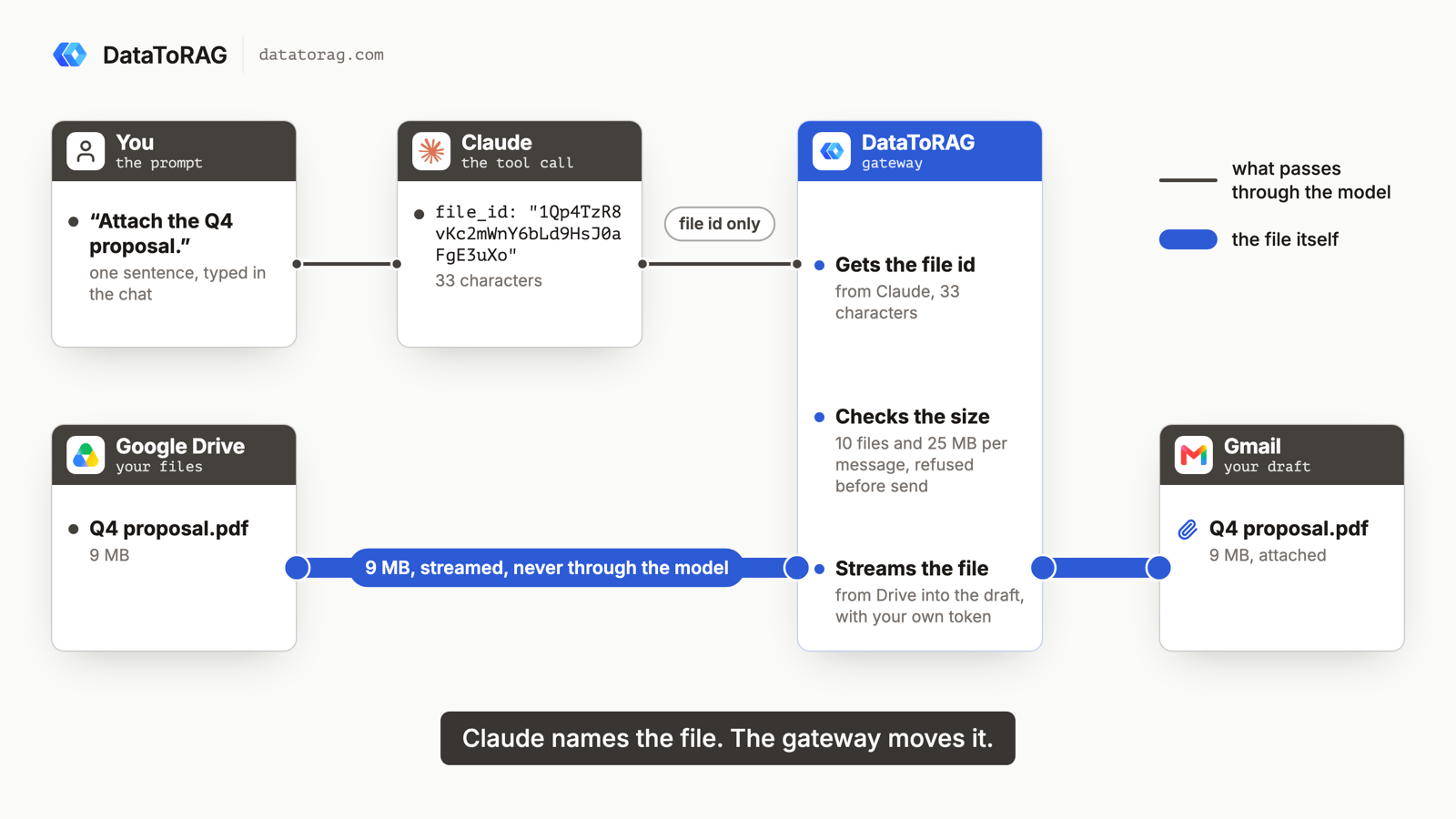
The obvious design has the model hand us the file as base64 in the tool call. It was in the first draft of the spec and cut before a line of it was written. Base64 tokenizes at roughly one token per two raw bytes, so a 200 KB screenshot is about a hundred thousand output tokens and a 2 MB photo is out of the question. And the model does not have the file anyway: when you drop a PDF into Claude it comes back to the model as content, not as a handle, so the only thing it could put in a tool call is its memory of the bytes.
A Drive id is already the opaque handle the MCP spec is converging on. So the model says "attach this id", our server pulls the bytes from Drive with your token and streams them into the message, and nothing large ever passes through the model. The full reasoning, including what the spec's own proposals did with this question, is in How a File Should Move Through an MCP Server.
What it means for you today
If the file is in Drive, or already on an email you're forwarding, it works now. If it's a screenshot you pasted into the chat, it doesn't, and the honest answer is "put it in Drive and tell me the name". That's a limit of every MCP client, not ours, and the docs say so rather than pretending.
The next piece is an upload endpoint shaped like the spec draft: hand a file to the gateway, get a Drive id back, attach by id. In Claude Code that's one shell command, and it covers the 20 MB PDF on your disk. When the spec lands, the same endpoint becomes the standard mechanism and the tools don't change.
How we know it works
This shipped behind the admin test runner we added this month, which runs the connector's deterministic cases against production in about a minute. Two of its cases send a 9 MB attachment through the new transport and save it back to Drive with a checksum match, and the whole suite ran against production before and after: 194 results compared, nothing changed. And one live draft to a test account with a PDF attached, a Doc linked, the same Doc exported, a sheet as xlsx and a logo inline, opened in Gmail by a person, which is the check that matters for the customer who asked.
If you've got a workflow where the file starts somewhere other than Drive, reply and tell me where. That's what decides the shape of the upload endpoint.
Ready to connect your data to AI?
Give Claude write access to your Google Workspace. Start free, or talk to us about your setup.
Related articles
We designed Gmail attachments three ways and built one. What we learned about base64 and tokens, what Claude actually hands a tool when you drop a PDF into the chat, and where the MCP spec is heading, is worth more than the feature.
Claude Can Send Formatted Email Now. Here's What That Took.Until August 26, our Gmail tools sent every message as plain text, so asking Claude for a formatted email got you literal HTML tags in your inbox. Here's the fix, the one asymmetry to know about, and where the workflow builders stand.
Hosted Google Workspace MCP: DataToRAG vs Google's Official Servers vs Claude's Native ConnectorsGoogle shipped eight official Workspace MCP servers. Claude has three native connectors. We host one endpoint. Every tool on all three, enumerated on August 24, 2026, including the surprise: Google's own Gmail MCP cannot send email.