
How a File Should Move Through an MCP Server (and Why Ours Never Sees the Bytes)
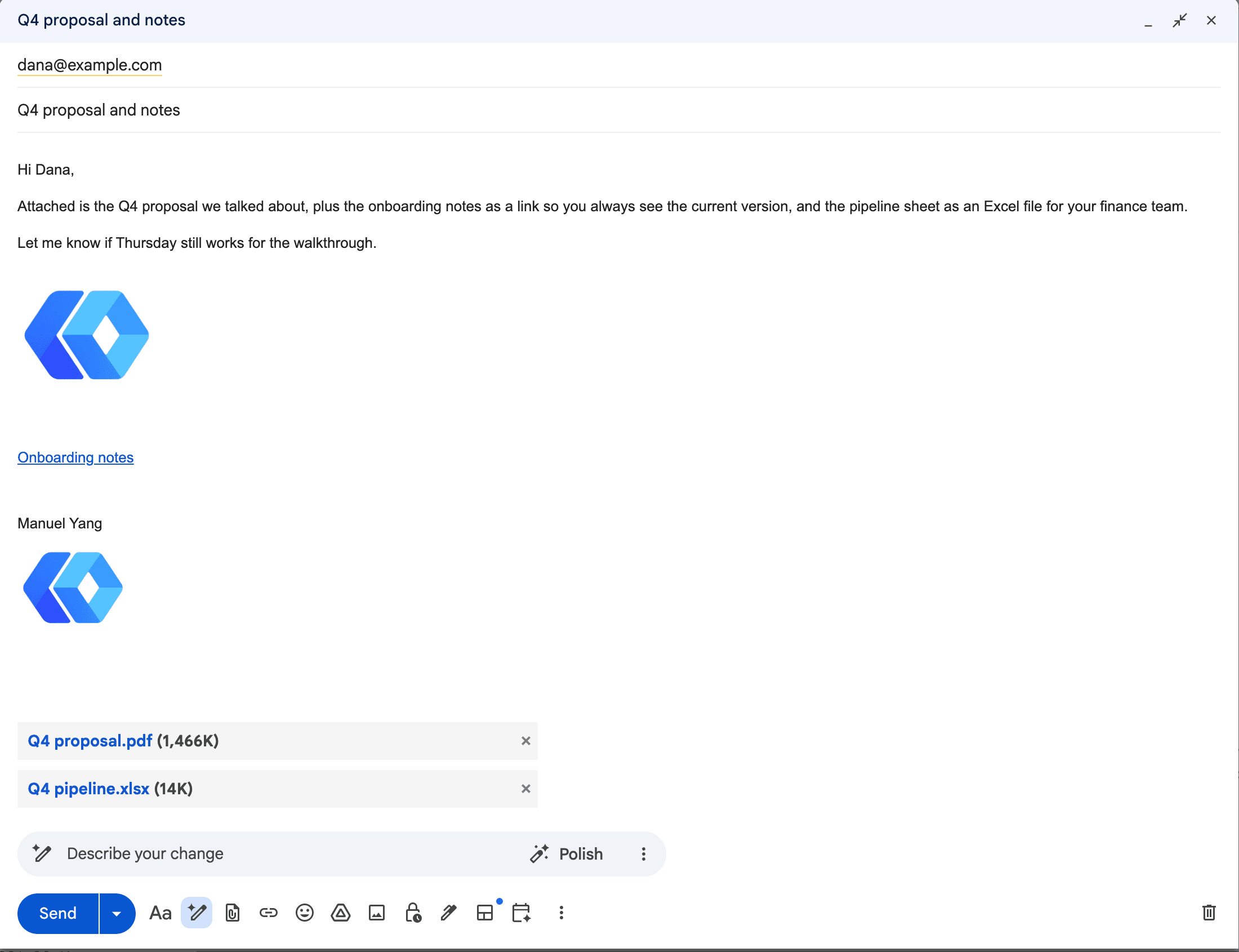
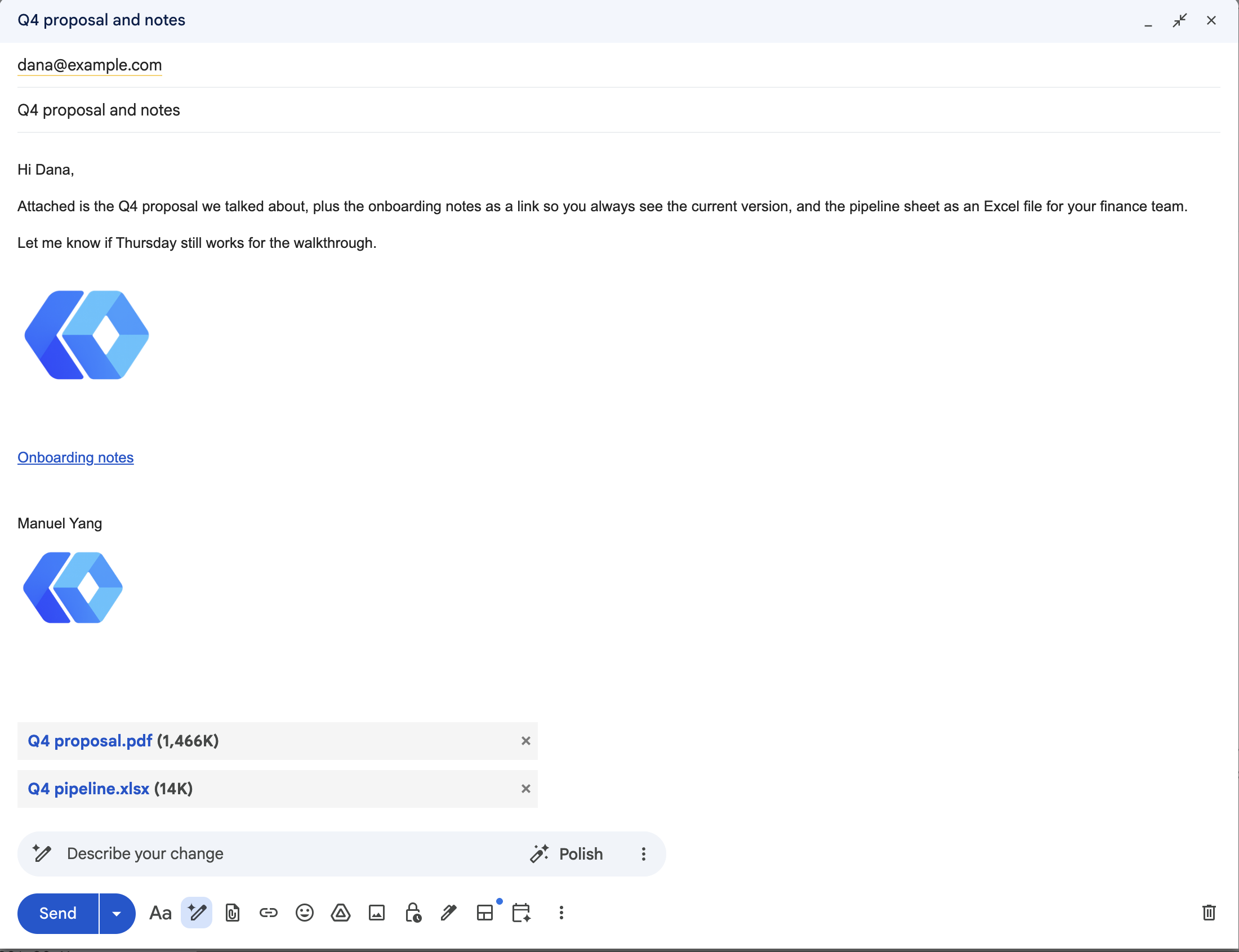
Last week we shipped attachments for the Gmail tools. The announcement is its own post. This one is the design notebook underneath it, because the question "how does a file get from the user to the tool" turned out to have no settled answer in the MCP world, and we had to pick one.
Three designs, one survivor
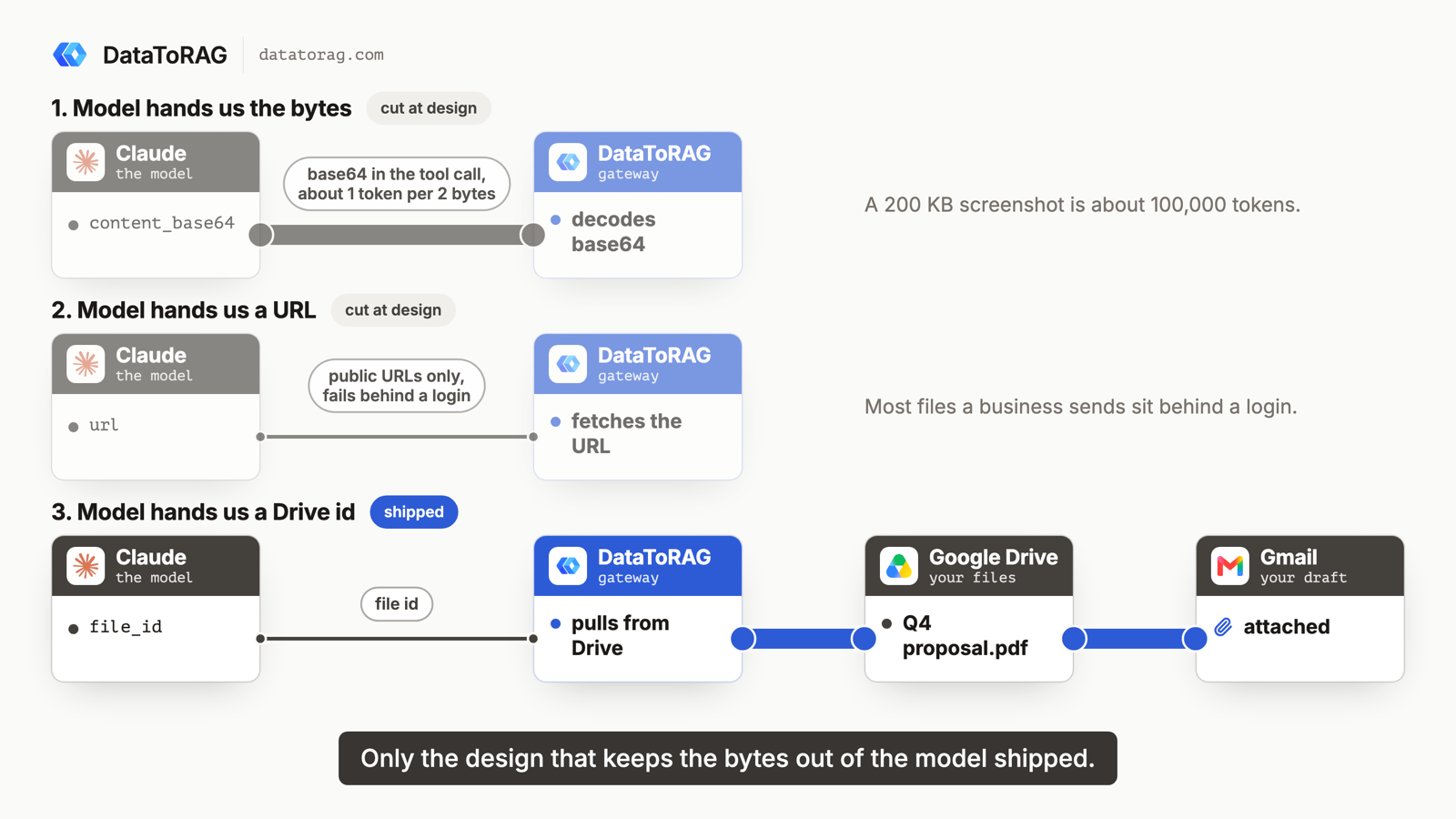
Design 1: the model hands us the bytes. An attachments entry with filename, mime_type and content_base64. Every MCP tutorial's first draft looks like this and ours did too, in the spec. It never reached the code: the arithmetic below killed it at the design review.
Design 2: the model hands us a URL. We fetch it. Works for public files, fails for everything a business actually sends, which lives behind a login. Also cut on paper.
Design 3: the model hands us a Drive file id. We pull the bytes from Drive with the user's own token and stream them into the message. This is what shipped, and it is the only one that was ever written.
The reasons are below. None of them is "it was easier". Design 1 would have been easier.
Why base64 through the model is a dead end
Two facts, one from arithmetic and one from how the clients work.
The arithmetic. Base64 is high-entropy text, so it does not compress into tokens the way English does. On Claude's tokenizer it lands at roughly one token per two raw bytes, sometimes worse. A 200 KB screenshot is about 100,000 output tokens. Most clients stop a model's turn well before that, and output tokens are the expensive kind. A 2 MB photo is a million tokens, which is not a cost, it is a refusal. The customer whose ask started this sends "docs and zip files for the most part". A zip is exactly the file base64 handles worst.
The result is a path that works in the demo and fails in the first real week, which is worse than no path. A user who hits it once does not try attachments again.
The clients. When you drop a PDF into claude.ai or paste a screenshot into Claude Code, the file goes to Anthropic and comes back to the model as content: extracted text, or a rendered image the model can look at. The model has no handle to the original. There is nothing it could put in a tool call except its memory of what it saw. So design 1 does not just cost too much, it asks the model to retype two megabytes of base64 from recollection. Every byte it gets wrong corrupts the file silently, and a zip with one wrong byte is not a zip.
We checked this against the clients our users actually run. Claude Code and claude.ai both hold user-attached files client-side and never expose them to tool arguments. Anthropic's own Google Drive connector, the built-in one, has a create_file that takes textContent or base64Content, which confirms the point from the other side: it is a text tool with a small-binary escape hatch, not an upload path.
What the spec is doing about it
The MCP spec has been working through the same question in public, and the timeline is instructive.
The first proposal was SEP-2356: a tool declares a file-typed argument, the client fills it with a data URI, and the bytes ride inside the tool call. It was closed in June 2026. The closing note matters more than the closure: clients where the model authors the arguments should not expose such fields at all, because a model will hallucinate bytes into them. That is our design 1, ruled out by the spec authors for the reason we found.
The replacement under review is SEP-2631, targeting late July. The shape: the client asks the server to authorize an upload, gets a signed URL, puts the bytes there directly, and the tool receives an opaque handle (mcp-file://...). Bytes never enter the protocol, the model never sees them, and a tool argument is a short string. Nobody ships it yet, and until clients do, a server that wants files today has to find a handle the model can already produce.
A Drive id is already an opaque handle
That is the whole insight, and it is small. Every Google Workspace user already has a file store the model can search and name. drive_search returns ids. The user says "attach the Q3 report" and the model says {file_id: "1AbC..."}. Our server does the rest with the user's token: metadata call for size and type, a refusal before any download if a file Drive knows the size of would take the message over 10 files or 25 MB (an export has no size until Google renders it, so it is counted as it streams and stopped before send if it goes over), then a streaming download into a MIME part, then one upload to Gmail, resumable above 5 MB.
Native Google files got their own treatment, because "attach a Google Doc" means two different things. Passed by id alone, a Doc goes in as a link, which is what Gmail's own compose does and what the recipient usually wants: the live document. Passed as {file_id, as: "pdf"}, Google renders the export and we stream that. Docs export to pdf, docx, txt, html, md, rtf, odt and epub; Sheets to xlsx, csv, tsv, pdf, html (which Google delivers as a zip of one page per tab) and ods; Slides to pptx, pdf, txt and odp. A csv is one tab, so you name it and the response says which one went.
Inline images use the same handle: reference a Drive file in the HTML as cid: plus its filename and it becomes a multipart/related part with a Content-ID, the structure Gmail builds when you paste an image into a message. No hosted URL, so nothing gets shared "to anyone with the link" as a side effect.
Total bytes through the model for a 9 MB attachment: the length of a Drive id, about 33 characters.
What it costs
Honesty section. The file has to be in Drive. A screenshot pasted into the chat cannot reach an email through any MCP client today, ours included, and our docs say so rather than implying otherwise. The workaround is one step: drop it in Drive, tell Claude the name. For that customer's docs and zips, which live in Drive already, there is no step.
The other cost is that we depend on Drive's export renderer for native files. A Doc exported as md is Google's markdown, and a Sheet exported as csv is one tab. Both are documented, neither is something we can fix.
What comes next
An upload endpoint shaped like SEP-2631: post a file to the gateway with your token, get a Drive id back, attach by id. In Claude Code that is one curl -F in a skill, and it covers the 20 MB PDF on your disk that was never in Drive. When the spec lands and clients implement it, the endpoint becomes the standard mechanism and the Gmail tools do not change, because they only ever wanted a handle.
If you run an MCP server and are about to add a content_base64 field, this is the post I wish had existed before we did. Reply if you have found a client that passes user-attached bytes to a tool. We have not.
Ready to connect your data to AI?
Give Claude write access to your Google Workspace. Start free, or talk to us about your setup.
Related articles
Gmail send, reply, forward and drafts take attachments from Drive: real files attached, Google Docs linked the way Gmail does it or exported as PDF and Word, images inline. The design question underneath is one the MCP spec itself hasn't settled yet, and we picked a side.
24-hour re-auth is overDataToRAG MCP now issues OAuth refresh tokens. Your client refreshes silently in the background instead of dragging you back through the Google consent screen every day.
Skills Are Live: The Routines I Kept Rebuilding by Hand, Now One ClickEleven published routines for Gmail, Calendar, Drive, Docs, Sheets and Jira. Copy one into Claude or press Run in the dashboard. Here is what the morning brief does, what it cost us to make it finish, and why it never asks you a question.