
Save the Email to Your Own Computer, With a Checksum You Can Check
Earlier this month I wrote about filing an email on a Jira issue without the file going through the conversation. The customer who asked for that came back a few days later with the natural follow-up. He files those emails locally too, so could the same file land in his Downloads folder, and could he check that what he saved is byte for byte what Gmail has.
That turned out to be a more interesting question than the Jira one, because an MCP server has no way to write to your computer. Claude Desktop does not take a file from a server and put it on disk, and neither does claude.ai. The only road from our side to your Downloads folder is your browser.
What shipped
file_download_link takes the same file reference the Jira tool takes, an email or one of its attachments, and answers with a receipt and a link:
{
  "file": { "name": "Invoice 4471.eml", "type": "message/rfc822" },
  "sent": { "bytes": 16166, "sha256": "58f3ffd0…642952" },
  "link": {
    "url": "https://datatorag.com/files/d/<token>",
    "expires_at": "2026-10-13T22:05:02Z",
    "uses": 1,
    "command": "curl -f -X POST -OJ https://datatorag.com/files/d/<token>"
  }
}
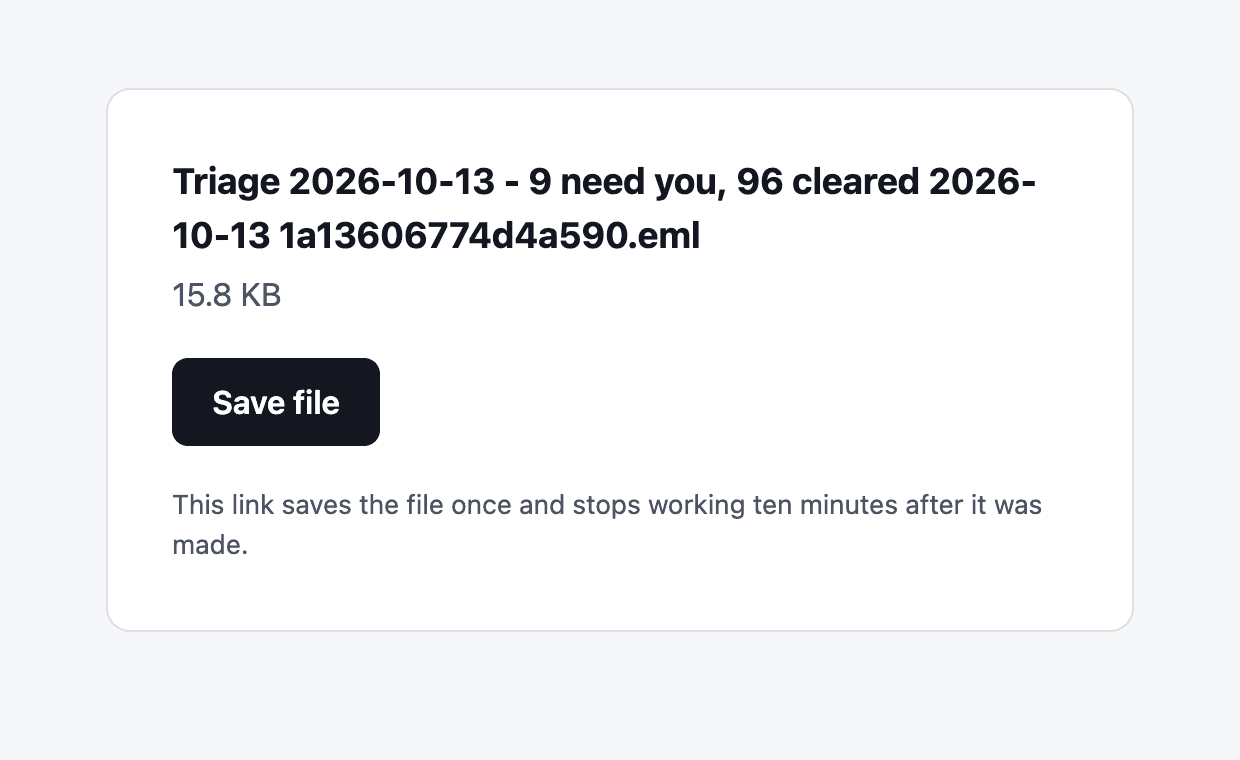
The link opens a small page with the file's name, its size and one button. The button saves the file. That is the whole thing from the user's side.
A link works once and dies after ten minutes. The receipt carries the size and the SHA-256 of what the link will send, so after the save you run shasum -a 256 (or Get-FileHash on Windows) and compare. The file is the raw message exactly as Gmail returns it, or the attachment's own bytes, nothing re-encoded by us.
If you work from a terminal, the receipt also has a one line command that makes the same request the button makes and saves the file without the page. Claude Code can run that itself, so in a coding session the file just appears.
Why a page and not a direct download
My first design had the link download on click. The reviewer who looked at it pointed out something I should have seen: a lot of things fetch a URL the moment it appears, and none of them say what they are. Mail scanners, chat link previews, the browser's own prefetch. If opening the link spent it, any of those would take the file and leave you with "already used", and you would have no way to tell a scanner from a thief.
So opening the link does nothing. The page is just a page. Only the button's request sends the file, and nothing that previews links makes that request. It costs one more click and it is the right trade.
Why the file is read twice
The receipt states the checksum before you click. That means we hashed the file at the moment Claude asked for the link. But we also do not hold the file between the call and your click, because the promise from the Jira work still stands: the file sits in the gateway's memory only while a transfer runs, and is never written to our disks.
Both of those are true at once because the file is read from Gmail twice. Once when the link is made, to compute the receipt. Once when you press the button, when it is read again, hashed again and compared with the receipt before a single byte is sent. If the two disagree, nothing is sent and the page says so. Between the two reads we keep the file's name, its size and its hash, and none of its content.
What a link is worth to someone else
A tool that turns any of your mail into a URL deserves a straight answer on what happens if that URL leaks. It is worth one download, inside ten minutes, and only if the other person uses it before you do. If they did, your click tells you, in words.
There is one more guard that is specific to how these links get made. A link is for you, not for Claude. If any tool call on our service carries one of your live links in its arguments, the call is refused and the link is cancelled. That stops the obvious case where a message in your inbox tries to talk the model into exporting itself somewhere. It does not stop everything, and the docs page says what it does not catch. I would rather you knew.
And Drive, the day after
He offered Drive as a second option, and that one shipped the next day as drive_upload_file. It takes the same file reference, an email or one of its attachments, and an optional folder, and it is the better receipt of the two. Drive reports a SHA-256 of what it stored, so the receipt can put our hash and Drive's side by side and say whether they match, which Jira cannot tell us and a browser download cannot either.
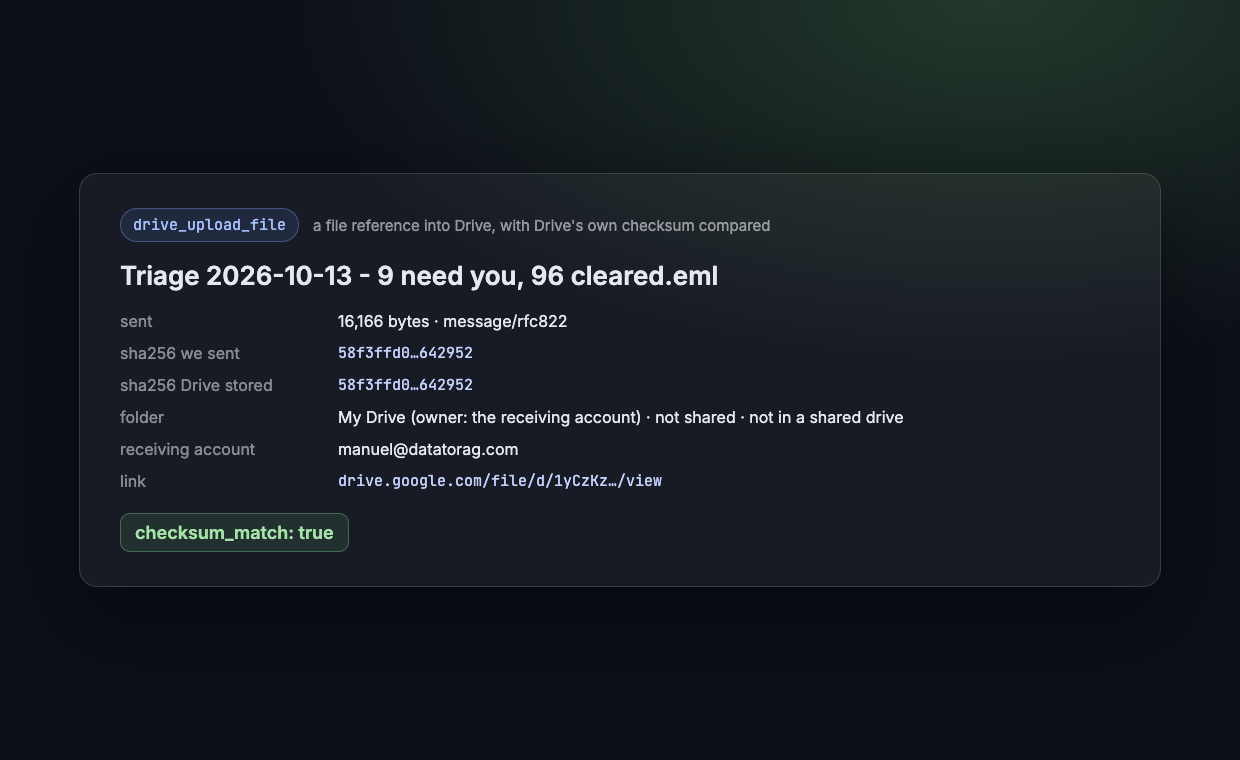
The receipt also says whose folder it landed in, whether that folder is shared, and whether it sits in a shared drive, because the one thing a file reference must never do quietly is widen who can read the file. It reports, it never refuses: if the folder is shared, you see that and decide.
If you have a file that still takes a detour through your Downloads folder on its way somewhere else, tell me where it is going. That list is what we build from.
Ready to connect your data to AI?
Give Claude write access to your Google Workspace. Start free, or talk to us about your setup.
Related articles
One customer needed every email on a Jira issue as the original .eml, for compliance. He was doing it by driving Chrome. Now it is one tool call, the file goes from Gmail to Jira without touching the conversation, and the answer is a receipt with a hash. The design underneath is a file reference, and it is the shape every cross-service tool we build from here will take.
Your Agent Can Attach Files to Email Now. The Interesting Part Is Where the Bytes Never Go.Gmail send, reply, forward and drafts take attachments from Drive: real files attached, Google Docs linked the way Gmail does it or exported as PDF and Word, images inline. The design question underneath is one the MCP spec itself hasn't settled yet, and we picked a side.
We Read What People Used the Raw API Call For, and Built Nine Tools InsteadOur Google Workspace connector has always had an escape hatch: a tool that sends one raw request to any Google API. We looked at what it was actually being used for. Most of it was the same few jobs, and a third of it was jobs we already had a proper tool for. So nine of those jobs got a tool of their own, and the escape hatch has gone behind a door.