
Gmail
 Gmail
GmailSearch, read, send, reply, forward, and draft emails with Drive files attached, and manage labels.
The Gmail connector gives your AI assistant full access to your inbox: searching, reading, composing, labeling, and organizing messages.
Available operations
| Tool | Description |
|---|---|
gmail_search |
Search emails using Gmail query syntax (e.g., from:boss subject:Q2 has:attachment). Results include flattened from/to/subject/date plus snippet and labels |
gmail_list |
List recent messages from your inbox with flattened from/to/subject/date fields |
gmail_read |
Read a full email by message ID. text_only returns a compact view (flattened headers, decoded text body, attachment metadata with each attachment's part id); max_body_chars truncates long bodies |
gmail_send |
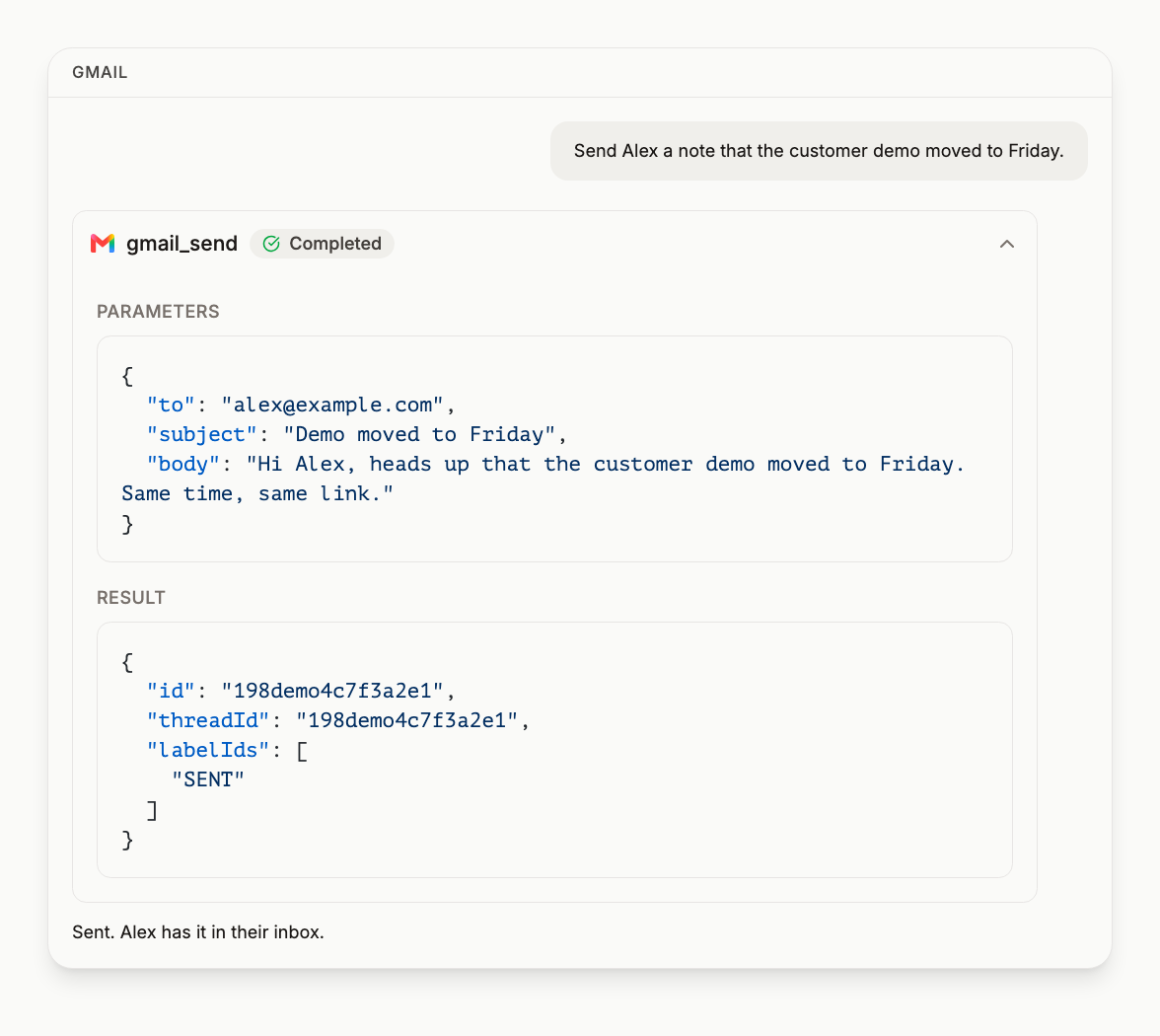
Send a new email, with Drive files in attachments. Your Gmail signature is added; signature: false sends without it |
gmail_reply |
Reply to an existing thread, addressed the way Gmail's Reply button does it; reply_all: true includes everyone on the original. Takes Drive files in attachments. Your Gmail signature goes under your note, above the quoted message |
gmail_forward |
Forward a message to another recipient, signed the same way as a reply. Carries the original's attachments unless include_original_attachments: false; attachments adds Drive files |
gmail_create_draft |
Create a draft without sending, with Drive files in attachments. Your Gmail signature is added to the draft; signature: false leaves it out |
gmail_update_draft |
Update an existing draft. This replaces the whole draft: files it held are dropped unless passed again in attachments |
gmail_send_draft |
Send an existing draft. A draft that already carries the signature is sent unchanged; one without gets it, including a draft that holds files |
gmail_delete_draft |
Delete a draft |
gmail_mark_read |
Mark messages as read, for a single message or a batch of up to 1,000 IDs. With no labels given it removes UNREAD; with add_labels or remove_labels given it applies exactly those and nothing else. For label changes beyond read state, use gmail_label_message |
gmail_label_message |
Label many messages in one call: message_ids (up to 1,000) with add_labels and remove_labels, one batchModify request, a per-message outcome in the result; message_id for a single message. Removing INBOX archives a message; removing UNREAD marks it read |
gmail_create_label |
Create a label. Nested labels use / in the name (e.g., Alerts/Invoices). Returns the created label, including its ID. If a label with that name already exists, it returns that label with existed: true instead of an error |
gmail_list_filters |
List the mailbox's Gmail filters with their criteria and actions. Read-only; useful for seeing why a message was archived or labelled before anyone read it |
gmail_list_labels |
List every label, system and user-created, with its ID, name, and type. Label IDs feed gmail_label_message, gmail_update_label, and gmail_delete_label |
gmail_update_label |
Rename a label or change its visibility. Takes the label ID, not the name. Renaming keeps the label on already-labeled messages |
gmail_delete_label |
Delete a label by ID. The label is removed from every message carrying it; the messages themselves are not deleted. System labels (INBOX, UNREAD, SENT) cannot be deleted |
gmail_save_attachment_to_drive |
Save an email attachment directly to Google Drive. The file streams from Gmail into Drive, so a large attachment arrives whole |
Attachments
gmail_send, gmail_reply, gmail_forward, gmail_create_draft and gmail_update_draft take an attachments list of Drive files: at most 10 entries per call and 25 MB per message in total. Each entry is a Drive file id, or {"file_id": "<id>", "as": "<format>"} to send a Google Doc, Sheet or Slides deck as a file.
- A PDF, an image, a zip or any other Drive file is attached as it is.
- A Google Doc, Sheet or Slides deck passed by id alone goes in as a link in the body, in both the plain and HTML versions, the way Gmail sends one. Nothing changes who can open it; sharing is up to you.
- With
as, it is exported and attached. The formats Google offers for each:
| File | as |
|---|---|
| Google Docs | pdf, docx, txt, html, md, rtf, odt, epub |
| Google Sheets | pdf, xlsx, csv, tsv, html, ods |
| Google Slides | pdf, pptx, txt, odp |
csvandtsvexport one tab. Add"tab": "<title>"to choose it; otherwise the first tab goes. The response always says which tab, for exampleexported tab Sheet1 of 3.- A Sheet as
htmlarrives as a.zipof pages, one per tab. Slides astxtis the slides' visible text only.
Inline images. Reference an attached image in html_body as <img src="cid:FILENAME">, where FILENAME is its Drive filename with any character other than letters, digits, dot, dash and underscore replaced by an underscore. It renders in place instead of at the bottom, and is not listed again as an attachment.
Forwarding. gmail_forward carries the original message's attachments, and its inline images that carry a filename, counted in the 25 MB limit but not in the 10 entries. include_original_attachments: false forwards the text alone.
Refusals come first. A folder, a format a file cannot take, an unknown tab, a missing or unshared id, two attachments with the same filename, or files whose sizes add up to more than 25 MB is refused before anything is downloaded or sent, and the refusal names the file. A Google Doc, Sheet or Slides deck exported with as has no size until Google renders it, so it is counted as it downloads; one that takes the total past 25 MB stops the message before it is sent, and nothing goes out.
The response says what happened. Each entry is reported in an attachments field as attached, inline, linked or exported, with its size or link. A call with no attachments has no such field, except a forward that carried the original's files, which reports those.
Files come from Drive only. To send something that is not in Drive yet, put it there first and pass its id.
Who a reply goes to
gmail_reply takes the message to answer and works out the recipients from that message's own headers, the way Gmail's Reply button does:
- To the Reply-To address when the message has one, otherwise to its sender.
- To the people the message was sent to, when it is a message you sent.
- With
reply_all: true, the original's other To recipients are added to To and its Cc recipients to Cc. Your own addresses, including your send-as aliases, are left out. It is off unless you pass it.
One reply takes at most 100 addresses. A reply that would go to more is refused and nothing is sent.
The response says who it went to. A sent reply carries to, and cc when there is one. When a Reply-To meant the original's sender is not among the recipients, it also carries reply_to_used: true and original_from, so the difference between who wrote and who was answered is visible.
expected_to is a guard for when it matters. The recipients come from the original message's headers, and a Reply-To can name someone other than the sender you see. Pass expected_to with the address or addresses, comma separated, that you mean the reply to reach, and the reply is refused before anything is sent unless it would go to exactly those. Under reply_all that means every To and every Cc address. Order and letter case are ignored. The refusal lists who the reply would have gone to, so the next call can name them or go to someone else.
Signatures
Mail sent with gmail_send, gmail_reply, gmail_forward or gmail_send_draft ends with the signature set in Gmail for your default sending address. Nothing needs configuring. A draft written in Gmail from an alias is signed with that alias's signature when gmail_send_draft sends it.
- On a new message the signature closes the body. On a reply or forward it sits under your note and above the quoted message.
gmail_create_draftandgmail_update_draftsign the draft as Gmail's Compose does.gmail_send_draftadds a signature only to a draft that has none, so a draft is never signed twice. A draft that holds files is signed in its text and its files are sent as they are.- Pass
signature: falseto send a message exactly as written. - A signed message goes out with a plain-text and an HTML version. The signature is in the HTML version only.
Every send response carries a signature field:
| Value | Meaning |
|---|---|
applied |
The signature was added |
none_set |
The account has no signature in Gmail |
suppressed |
You passed signature: false |
already_present |
The body already ended with the signature, so it was not added again |
unavailable |
The signature could not be read; the message was sent unsigned |
skipped_unsupported_draft |
The draft's format is one we send untouched rather than rewrite |
Gmail's mobile apps fold a signature they recognise behind the three-dot button. The signature is still in the message.
When Google is busy
Google refuses a request when one account has too many in flight at once, which happens when an assistant runs several searches or reads together. A read that Google refuses this way is tried again inside the same call, up to three requests in all with a short wait between them, so it normally returns its results and you see nothing. If Google keeps refusing, the call fails with Google's message and a note that the failure is transient; running it again a little later is the fix.
A send is never retried. gmail_send, gmail_reply, gmail_forward, gmail_send_draft and every other tool that changes something make one attempt and report what Google answered, so nothing can go out twice.
Required scopes
https://www.googleapis.com/auth/gmail.modify
Attaching Drive files and saving attachments to Drive also use the Drive access granted when you connect Google Workspace, and a Sheet sent as csv or tsv is read through Sheets.
Example prompts
- "Search my inbox for emails from @acme.com in the last week and summarize the key asks"
- "Draft a reply to the latest email from Sarah declining the meeting politely"
- "Find all unread emails with attachments and save the attachments to my Reports folder in Drive"
- "Forward the Q2 report email to the marketing team with a note"
- "Email the Q3 board deck to Sarah as a PDF, with the budget sheet attached as xlsx"
- "Draft a reply with our logo inline at the top and the signed contract from Drive attached"
- "Draft replies to every unanswered client email from this week, then send the drafts I approve"
- "Create an Alerts/Invoices label, apply it to every email from our billing provider this month, and archive them"
Frequently asked questions
Can DataToRAG send and reply to email, or only read it? #
Can it attach files to an email? #
Can an image show inside the email instead of at the bottom? #
Does forwarding keep the original attachments? #
How does DataToRAG archive an email? #
Can it mark a lot of messages read at once? #
If I delete a Gmail label, do the messages go too? #
Can it save an email attachment to Drive? #
Will my Gmail signature be added to mail DataToRAG sends? #
Are drafts signed as well? #
Why does the signature look like it is missing? #
What Gmail permission does DataToRAG ask for? #
Try this on your own account
Connect Google Workspace once and your assistant can run every tool on this page against your real data. Free to start, no card.
Get started freeBy continuing you agree to our Terms of Service and Privacy Policy.