
Slides
 Slides
Read, create, and update Google Slides presentations.
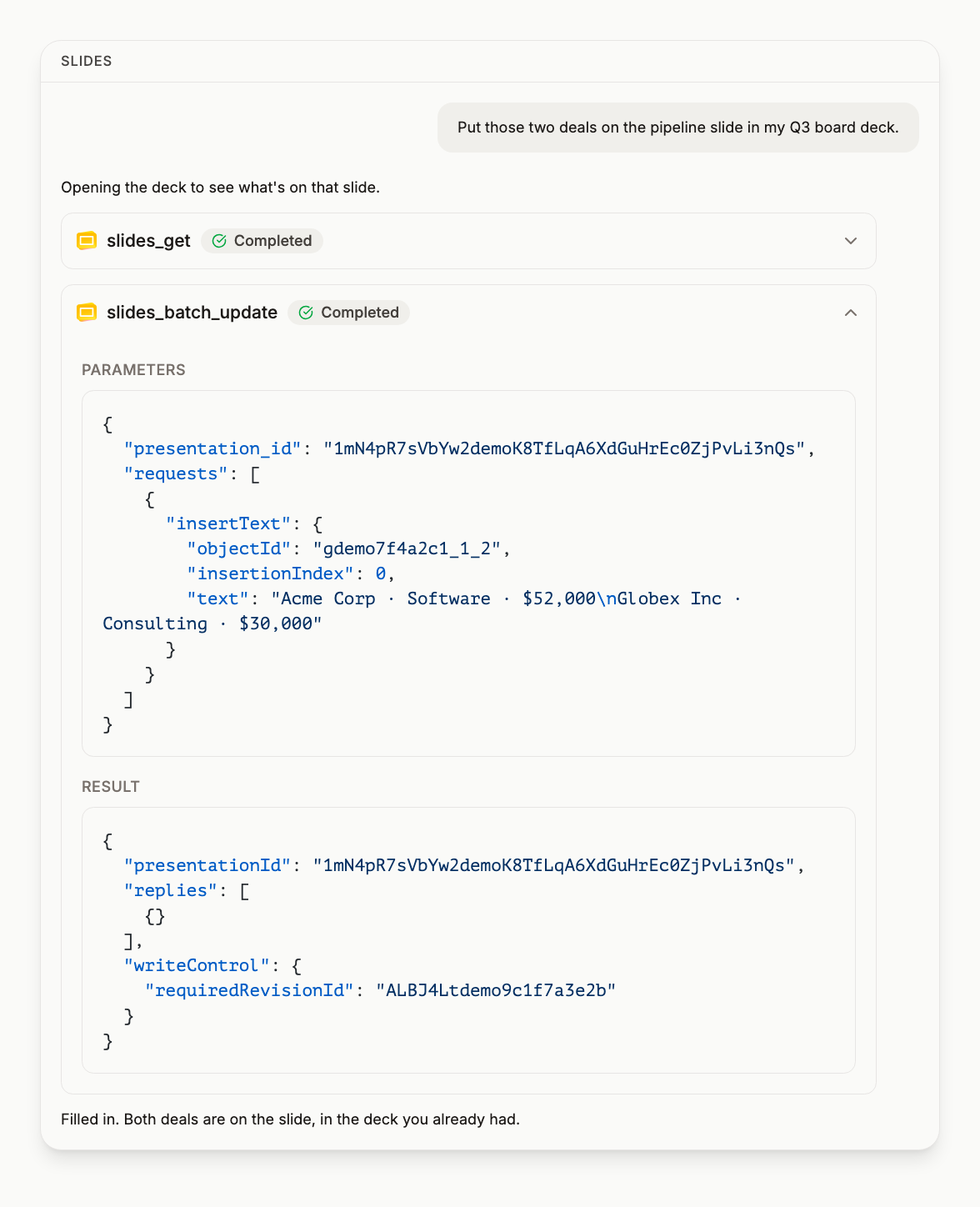
The Slides connector lets your AI assistant read presentation content, create new decks, and apply batch updates to slides.
Available operations
| Tool | Description |
|---|---|
slides_get |
Read a presentation's content: slide objectIds, placeholder types (TITLE/BODY/SUBTITLE) and text, stripped of layout and styling data so a large deck still fits in context. Feed the returned objectIds to slides_batch_update |
slides_create |
Create a presentation. Returns the presentationId and a placeholder_map per slide, mapping TITLE/BODY/SUBTITLE to their objectIds, so the first insertText needs no lookup |
slides_batch_update |
Insert or replace text, add slides, delete objects and other edits, in the Google Slides API batchUpdate format. One call, applied in order |
slides_delete |
Delete a presentation |
Required scopes
https://www.googleapis.com/auth/presentationshttps://www.googleapis.com/auth/drive(for delete, which is a Drive operation)
Multiple accounts
Every tool on this page takes an optional account argument: the email address
of the connected Google account to act on. Omit it and the default account is
used. Connect a personal and a work account and your assistant can read from
one and write to the other in the same turn, without you switching profiles.
Example prompts
- "Read my Q2 sales deck and summarize the key points from each slide"
- "Create a new presentation called 'Team Update' with a title slide"
- "Find the latest investor deck in Drive and update the revenue numbers on slide 3"
- "Add a new slide at the end of the product roadmap deck with this quarter's milestones"
Frequently asked questions
Can DataToRAG add text to a slide that already exists? #
Yes. The Slides batch update tool inserts or replaces text, adds slides and deletes objects, in the Google Slides batchUpdate format, applied in order in one call. Reading the deck first returns the slide object IDs to target.
How does it know where to put text on a deck it just created? #
From the placeholder map. Creating a presentation returns its ID plus a placeholder map per slide, pairing TITLE, BODY and SUBTITLE with their object IDs, so the first text insertion needs no lookup.
Will reading a large presentation use up my context window? #
Less than you would expect. The Slides read tool returns slide object IDs, placeholder types and their text, stripped of layout and styling data, so a large deck still fits in context.
Can Slides tools target a specific Google account? #
Yes. Every tool on this page takes an optional account argument naming the connected Google account to act on, and omitting it uses the default account. With a personal and a work account connected, your assistant can read from one and write to the other in the same turn.
Try this on your own account
Connect Google Workspace once and your assistant can run every tool on this page against your real data. Free to start, no card.
Get started freeBy continuing you agree to our Terms of Service and Privacy Policy.